Your listing on Giga Bears is free — and getting it starts with one photo. Here is the whole path, step by step: what you do, what the system does for you, and the one step a human always does.
Start with what you already have
No forms marathon. Your listing starts from things already sitting in your shop — any one of these gets you in:
A photo of your business card. Snap it with your phone and send it — here on the site, by Facebook message, or by email. We draft your listing from exactly what the card says. If we can't read your card, we'll show you what we got and you can type or fix the rest — we never guess.
Your logo as a file. SVG, EPS, or PDF if you have one — a clear PNG works too. Your listing carries your logo, front and center — not a template with your name pasted in.
The short form. Your name, what you do, your phone, the areas you serve, a photo of your work. Short, and in plain words.
An email or a message. Send your details in your own words to support@gigabears.app — a person reads every message, and your draft is built from what you sent.
Would you rather talk it through? Our AI Assistant can walk you through the whole thing — type or talk, in English or Spanish. It is an automated assistant (it will tell you so itself), and a person can step in whenever you ask.
Then the system goes to work
Once your card, file, or form lands, this happens without you lifting another finger:
Your listing is drafted from only what you gave us — if it isn't there, it isn't invented.
It is built in two styles — a directory card and a full page — and in two languages: English and Mexican Spanish.
Every version is checked against a 7-point list — including nothing invented, no prices made up by us, the legal notice on every version, and both languages saying the same thing.
Whatever is missing becomes one short list of questions for you — not another long form.
Your finished draft goes to a person for the final yes — the next step explains why.
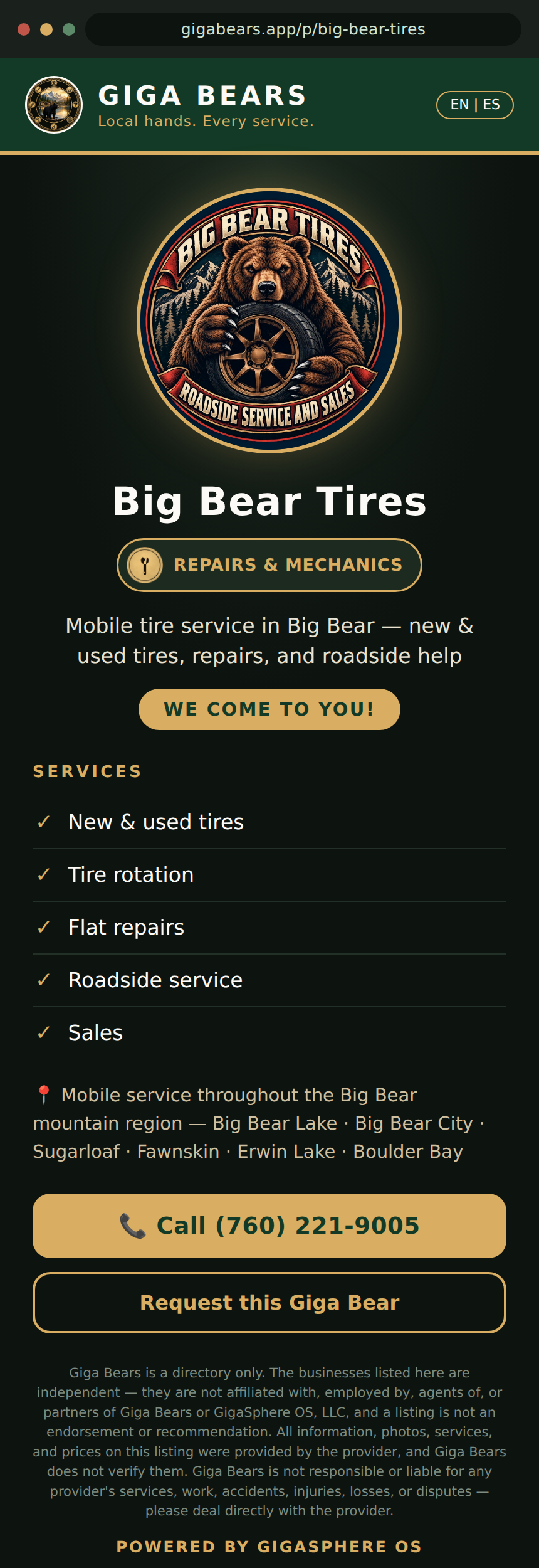
A real first example: one photo of a business card — and exactly what it became. The gaps stayed gaps until the owner fills them.
Pick your style — both are already built
Style A — Directory Card. Your card in the directory — name, services, one tap to call.Style B — Full Page. Your own page — everything about your business, one link to share.
You pick which one leads. Both are part of your free listing, in both languages, and you can change your pick later — it is a setting, not a purchase.
One human step — on purpose
Before any listing goes live, a person reviews it: Armando, the founder, personally approves every listing — one review, one yes. Nothing publishes itself, and nothing goes live on a timer.
Why? Because your listing carries your name and your phone number, and a person should stand behind what goes up. If a detail is missing, you get one short list. And if your details never reach us, we send your finished draft to you once, for a simple yes or no. No reply means we file it away and don't write again. No chasing, ever.
Free means free
No cost to list. Optional paid add-ons. Terms apply.
Your listing — both styles, both languages.
Your edits when your details change.
Your pick of style, changed whenever you like.
You pay nothing unless you choose a Build Block below. Plenty of businesses never do — and their listings stay free.
Want more than a listing? Build Your Own
Piece by piece — every piece fits. On the pricing page you can configure your own build: Build Blocks (a website, your app in both stores, a web app, a branding kit), Extra Pieces that fit what you picked (your domain, payments, reviews, and more), and Monthly Plans like the Care Plan. The total is on screen the whole time — what you pay today, what you pay at launch, and what you pay monthly. Nothing is computed behind a curtain.
An example, with real numbers — “Get found”: your free listing + Website $649 + Domain setup $69 = $718 one time. That is $359 today to start, $359 at launch, and the Care Plan at $99/month from launch if you choose it. (Your domain itself is billed at the registrar's price — we confirm the exact number before you pay.)
The deposit moment — on the spot, and safe
When your build is configured the way you want it, you can start it right there: 50% today, 50% at launch. You pay on a secure Stripe page — your card goes to Stripe. We never see it, touch it, or store it. Work begins when your deposit lands. For apps, “launch” means the day we submit your app to the stores.
What happens next, in order:
Your Build Receipt lands in your email — what you picked, your place in the queue, your account ready.
Your build starts when the deposit lands; we build one block at a time, in order.
When the first version of a block is ready, you send one combined list of changes — it is included in your price.
At launch, the second half is invoiced — and everything is handed over in your account, in your name: your domain, your accounts, your files.
Monthly plans, if you picked any, start at launch — billed in advance, pausable up to 2 months a year, cancel anytime.
And if you change your mind before we start: your deposit comes back in full. If we've started, your refund is the deposit minus the work already done at $85/hour, itemized — you see the math.
We take a limited number of builds each month — this is a one-founder studio. When the month is full, new builds wait for the next opening. No countdowns, no pressure.
Every build is reviewed and approved by Armando personally before you see it — and your one free human review is the walkthrough of that finished build with him, where your changes become your one included change list. Want to plan it together on a call first? A build call is $49 for 30 minutes — and the $49 comes off any build of $649 or more.
The fine print, in plain words
Giga Bears is a directory only. The businesses listed here are independent — they are not affiliated with, employed by, agents of, or partners of Giga Bears or GigaSphere OS, LLC, and a listing is not an endorsement or recommendation. All information, photos, services, and prices on this listing were provided by the provider, and Giga Bears does not verify them. Giga Bears is not responsible or liable for any provider's services, work, accidents, injuries, losses, or disputes — please deal directly with the provider.
Build Blocks, Extra Pieces, and Monthly Plans are built by GigaSphere OS Media Studio, a division of GigaSphere OS, LLC. The prices on the pricing page are the whole story — if anything on this page and the pricing page ever disagree, the pricing page wins.